QUICK ANSWER
combine 2 models with 2 textures in to 1 model with 1 texture in blockbench Hyta. This guide shows you exactly how.
How to combine 2 models with 2 textures in to 1 model with 1 texture in blockbench Hytale Bedrock
Key Takeaways
- Step-by-step walkthrough
- Blockbench workflow
- Minecraft Bedrock addon system
- Hytale modding
- Texture and UV work
Learn combine 2 models with 2 textures in to 1 model with 1 texture in blockbench hyta. Step-by-step bedrock and blockbench and hytale guide by CyberAxe — part of 1,000+ video tutorials for game developers and addon creators.
What You'll Need
- Blockbench (free at blockbench.net)
- Minecraft Bedrock Edition
- Hytale (Early Access or later)
📄 Transcript
▼
Transcript will be available when YouTube captions are accessible. This section provides full-text SEO indexing for the video content.
What does this video cover? ▼
Learn combine 2 models with 2 textures in to 1 model with 1 texture in blockbench hyta. Step-by-step bedrock and blockbench and hytale guide by CyberAxe — part of 1,000+ video tutorials for game developers and addon creators.
Join the Community
300+ creators in the Discord. Get help, share builds, watch streams.
Join Discord
🔗 Related Guides
How to Break Apart a Single Model in to 2 Models with 2 textures - Blockbench Guides Hytale Bedrock
Minecraft Bedrock - to - Hytale How to convert entities without texture size hell (Blockbench)
Blockbench Bugs in Hytale Plugin vs Bedrock Model - Create Texture Template issues
How to use multi textures, materials, geos in Blockbench Entities for Minecraft Bedrock
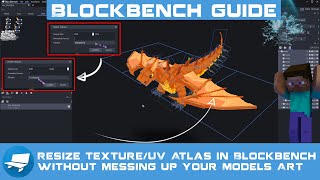
How to Resize Texture/UV Atlas in Blockbench without messing up your Models Art - Guide (Bedrock)
📺 More From CyberAxe
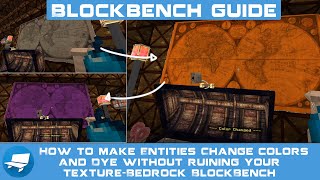
How to make Entities Change colors and Dye without ruining your texture-Bedrock BlockBench Minecraft
(UE5) Pirat_ization Intro Full with Option 1 - Indie Game Dev - Pirate games
Secret Project - Realistic Animations in ADDONs - I did it - Here is how (My Farewell Bedrock Guide)
VFXTale By CyberAxe Beta 3 Update and New Features - How to add Monitored folders and batch tools
Lets Nuke Mars Upcoming Steam Indie Game Trailer Wishlist Now - Interactive Story #ASMR Game
Need Custom Addons?
25 years IT consulting. Custom Bedrock addons, server setup, technical consulting.
Hire CyberAxe