QUICK ANSWER
How to Export Animations and texture to UE5, Blender, Godot and others — by CyberAxe.
Quick Guide - How to Export Animations and texture to UE5, Blender, Godot and others - Blockbench
Key Takeaways
- Step-by-step walkthrough
- Blockbench workflow
- Texture and UV work
- Unreal Engine 5
Learn how to export animations and texture to ue5, blender, godot and others. Step-by-step blockbench and ue5 guide by CyberAxe — part of 1,000+ video tutorials for game developers and addon creators.
What You'll Need
- Blockbench (free at blockbench.net)
- Unreal Engine 5
📄 Transcript
▼
Transcript will be available when YouTube captions are accessible. This section provides full-text SEO indexing for the video content.
What does this video cover? ▼
Learn how to export animations and texture to ue5, blender, godot and others. Step-by-step blockbench and ue5 guide by CyberAxe — part of 1,000+ video tutorials for game developers and addon creators.
Join the Community
300+ creators in the Discord. Get help, share builds, watch streams.
Join Discord
🔗 Related Guides
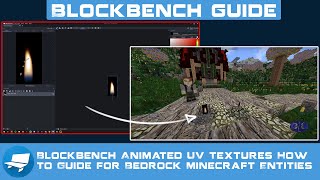
Blockbench Animated UV Textures How to Guide for Bedrock Minecraft Entities
How to UV Anim in Blockbench for Hytale Guide Tutorial - Amazing new feature for #HytaleModding
How to Break Apart a Single Model in to 2 Models with 2 textures - Blockbench Guides Hytale Bedrock
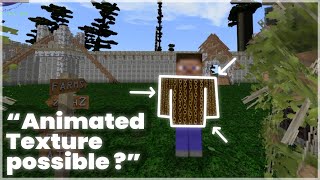
How to Texture Animated Armor/Attachables - non UV_Anim solution - Bedrock Minecraft PE Guide
How to Quickly add 3D text with Generator Text Plugin then Animate with Camera Blockbench Minecraft
📺 More From CyberAxe
Hytale - Fancy Particles with Attractors Demo - No Audio
Arcade Space Shooter - Game Loop Demo - Minecraft Bedrock Engine - Watch Me Player
Hytale - Did you know about /? opens all commands with how to use them. How to find Help in Tutorial
Staged Fight Animations - Bedrock Minecraft Edited
Name that Sound... Minecraft Bedrock (MCPE)
Need Custom Addons?
25 years IT consulting. Custom Bedrock addons, server setup, technical consulting.
Hire CyberAxe